ClickCease
Skip to main content

Nationwide Service
888-573-6847

Category: General Sessions

Should You Rent AV Gear with or Without a Technician?

Choosing whether to rent AV gear with or without a technician can feel simple until the event is close and every detail matters.

You are not just renting speakers, screens, microphones, or cables. You are deciding who will carry the responsibility when guests arrive, presenters begin, and the room expects clear sound and steady visuals.

For larger programs, general session rental services can also influence that decision, as the main room often carries the highest expectations for sound, visuals, timing, and audience experience. The right choice depends on your event size, technical confidence, venue conditions, and how much risk you can comfortably accept before showtime on the day of the event.

Quick Answer: Rent AV Gear With a Technician for High-Stakes Events, Without One for Simple Setups

Rent AV equipment with a technician when your event depends on clear sound, smooth visuals, live microphones, multiple speakers, lighting cues, video switching, livestreaming, or tight timing. In these settings, one small technical issue can delay the program, frustrate guests, or pull your team away from the people they need to serve.

Rent AV gear without a technician when the setup is simple and someone on site knows how to connect, test, adjust, and pack the equipment correctly. A small meeting, a casual gathering, or a basic presentation may not need live technical support if the gear is familiar and the pressure is low.

The simple rule is this: the more the people who depend on the AV working at the same time, the more valuable technician support becomes. You are paying for control, speed, and calm problem-solving when the event is already in motion.

What Does Renting AV Gear Without a Technician Mean?

Renting AV gear without a technician usually means you receive the equipment, but you or your team take responsibility for using it correctly. When you compare what’s included in different AV rental packages, you may see speakers, microphones, mixers, projectors, screens, lighting, stands, displays, cables, and adapters, depending on your event’s needs.

Delivery may be included, but delivery is not always the same as setup. A driver may bring the equipment to the venue while your team still handles placement, connections, sound checks, video testing, cable paths, and final adjustments.

Basic instructions may be available, but live operation is usually not part of a gear-only rental. That means if a microphone cuts out, a laptop fails to connect, or the sound feeds back during a speech, someone from your side must know what to inspect and correct.

What Does Renting AV Gear With a Technician Include?

Technician support can mean several different service levels, so you should confirm exactly what is included before you book. Some rentals include setup only, while others include a technician who stays through the event and manages the system as the program runs.

  • A setup technician delivers, assembles, connects, tests, and may leave before guests arrive.
  • An on-site AV technician stays during the event to monitor sound, microphones, slides, visuals, and equipment issues.
  • A show technician or technical director manages cues, presenters, lighting changes, video playback, livestreaming, and complex event flow.

This distinction matters because setup support does not protect you from every live issue. If the technician leaves before the program begins, your team may still need to handle microphone handoffs, volume changes, laptop changes, and unexpected signal problems during the event.

The Main Difference Is Risk, Not Just Cost

The choice is not only about paying less or adding another service line. The real difference is how much risk you want your team to carry while the event is happening in front of guests, clients, donors, students, executives, or paying attendees.

A gear-only rental can lower the upfront price, but it also places more responsibility on you. The hidden cost of DIY AV is the time, pressure, and risk you take on when you must confirm the setup, test every connection, manage room sound, resolve display issues, protect the equipment, and pack everything correctly at the end of the event.

Technician-supported rental costs more because it includes trained attention before and during the event. The better comparison is not equipment cost against technician cost. It is equipment cost against the cost of failure when the microphone stops, the projector goes blank, or the livestream loses sound during an important moment.

When Renting AV Gear Without a Technician Makes Sense

Renting without a technician can make sense when the event is small, simple, and forgiving. If you only need background music, a powered speaker, a basic microphone, or a projector for a straightforward presentation, a gear-only rental may fit your needs.

It also helps when someone on your team already understands AV equipment. That person should know how to connect devices, adjust volume, prevent feedback, test video output, charge batteries, and correct common issues without guessing under pressure.

A simple rental is safer when the venue gives you enough time to test everything before guests arrive. You should never assume the gear will work perfectly the moment it is plugged in, especially when laptops, adapters, wireless devices, venue outlets, or unfamiliar rooms are involved.

When Renting AV Gear With a Technician Is the Better Choice

Technician support is the better choice when the event carries real consequences and your team cannot afford technical confusion. If the room includes important guests, timed presentations, live speakers, or several moving parts, you need someone who can keep the system stable.

  • Corporate meetings with executives, clients, sponsors, or board members
  • Galas, fundraisers, awards events, and formal programs
  • Conferences, panels, breakout sessions, and multiroom meetings
  • Hybrid meetings, livestreams, recordings, and remote presenters
  • Events with multiple microphones, audio, video, lighting, staging, or timed cues
  • Outdoor events where power, weather, wind, and acoustics can change quickly

You should also choose technician support when no one on-site wants technical responsibility. That choice lets your staff focus on guests, speakers, schedules, and hospitality instead of troubleshooting cables, batteries, screens, and sound levels.

Questions Most Customers Ask Before Choosing Technician Support

Most customers are not trying to buy extra labor for no reason. They are trying to understand what could go wrong and who will fix it when people are watching, waiting, or depending on the event to run smoothly.

You may wonder whether the equipment can be set up without AV experience, who fixes the sound if a microphone stops working, and whether someone will test the system before the event starts. Those are practical questions, not small details.

You may also ask whether wireless microphones need a professional setup, whether a projector rental requires help, or whether venue staff can handle rented AV equipment. The honest answer depends on the gear, venue rules, staff experience, laptop compatibility, adapter needs, event schedule, and pressure level. When those details feel uncertain, technician support gives you a clearer chain of responsibility.

The Hidden Responsibilities of a Gear-Only AV Rental

A gear-only rental can look simple on paper because the equipment list appears complete. In practice, someone still needs to make every piece work together in the room, with the venue power, the presenter devices, the audience size, and the event timeline.

That person must confirm where outlets are, where cables can run safely, and where speakers should sit so people can hear clearly without feedback. They must connect laptops, adapters, microphones, screens, mixers, displays, and media sources in the right order.

They also need to watch the event itself. Volume may need to be adjusted when speakers change. Batteries may fail. Presentation audio may not play. A laptop may sleep, freeze, or send the wrong display size. If no one owns those responsibilities, your event team may end up reacting in public rather than leading the program with confidence.

The AV Technician’s Role During an Event

A good AV technician does much more than plug in equipment. The technician prepares the system before guests arrive, checks signal flow, listens to the room, tests devices, and stays ready to correct problems before they interrupt the event.

  • Arrives early to place equipment, run cables, and connect the system
  • Test microphones, speakers, projectors, screens, laptops, and playback sources
  • Balances sound levels for the room and checks for feedback, hum, crackle, or dead signal
  • Confirms presentation audio, walk-in music, video playback, and screen display
  • Handles microphone handoffs, presenter changes, and live adjustments
  • Coordinates with venue staff and breaks down the system safely after the event

This support matters because events move quickly. When someone trained is watching the system, your team does not have to choose between helping guests and solving technical problems.

Cost Comparison: Why Technician Support May Save Money

It is natural to compare a gear-only rental with a technician-supported rental by looking at the invoice. That comparison can miss the real financial picture because technical problems often create costs that do not appear until the event is already under pressure.

A delayed start can lead to venue overtime, frustrated speakers, missed program time, or rushed replacement rentals. Poor sound can weaken a presentation, hurt donor or sponsorship appeal, affect presenter’s image of professionalism, or make a corporate meeting feel unprepared.

Technician pricing usually depends on level of expertise required, event duration, setup complexity, number of rooms, amount of equipment, travel, delivery, and whether support is needed for setup only or the full event. Early-morning, late-night, and weekend labor may also affect the quote. In many cases, technician support helps protect the money already spent on the venue, food, speakers, guests, and production.

Equipment That Usually Benefits From Technician Support

Some AV equipment is sensitive because it has more settings, more connections, and more ways to fail if it is not configured properly. Wireless microphone systems are a strong example because they involve frequency selection, battery checks, receiver placement, gain settings, and live monitoring.

Audio mixers, multiple speaker systems, projectors, large screens, LED video walls, livestreaming kits, lighting packages, and stage setups also benefit from trained setup and operation. These systems need careful signal routing and testing, especially when several presenters, rooms, or media sources are involved.

Hybrid meeting equipment, video switchers, recording systems, and panel discussion setups require extra care because they connect live participants with remote audiences or to recorded content. If one link fails, the problem can affect viewers, speakers, and the final record of the event at the same time.

Equipment That May Be Safe to Rent Without a Technician

Some equipment may be safe to rent without technician support when the event is small and the person using it has basic confidence. Simple gear still needs testing, but it may not need full event operation from an AV professional.

  • Single powered speaker for a small room
  • Basic wired microphone with a simple connection
  • Tripod screen for a short presentation
  • Small projector setup with a tested laptop
  • Portable PA system for light announcements
  • Simple display monitor for static content
  • Podium microphone in a small room
  • Basic background music system for a casual gathering

Even with a simple gear, you should test everything before the event begins. Laptops, adapters, wireless devices, media files, power outlets, and room layout can still cause problems if nobody checks them early.

Venue Factors That Affect the Decision

The same equipment can feel easy in one venue and difficult in another. Room size, ceiling height, audience count, acoustics, loading access, setup time, outlet locations, and noise restrictions can all change how much technical support you need.

An indoor meeting room with clear power access is very different from an outdoor event, hotel ballroom, church hall, or trade show floor. Outdoor events add weather, wind, uneven surfaces, generator needs, and wider sound coverage concerns.

You also need to consider venue rules. Some venues limit outside AV providers, require insurance, enforce union labor rules, restrict setup times, or require approval before equipment can enter the building. For livestreaming, Wi Fi quality matters too. A technician can identify these issues early and help your team plan around them before they affect the audience.

Event Type Guide: Technician or No Technician?

Your event type can quickly tell you how much risk you are carrying. A corporate presentation may need technician support when clients, executives, sponsors, or multiple presenters are involved because the program reflects your organization’s preparation.

A wedding ceremony also benefits from support because timing, microphones, vows, readings, and music cues must happen at the right moments. A small birthday party with basic music may be fine with gear only if someone knows the equipment and the room is simple.

Conferences, livestreamed events, school performances, assemblies, fundraisers, outdoor programs, and awards events usually call for technician support. Trade show booths depend on the setup. A single monitor with a looping video may be simple, while audio, displays, lead capture devices, or presentations may require trained assistance.

The Most Common Problems When Renting AV Gear Without a Technician

The problems that affect gear-only rentals are usually practical, not mysterious. They often happen when the right cable is missing, the laptop settings are wrong, the room behaves differently than expected, or nobody has enough time to test the system before guests arrive.

A laptop may not recognize the projector or screen, or the team may discover too late that the correct adapter is missing. Wireless microphones can face interference or dead batteries, while speakers may create feedback, uneven sound, hum, crackle, or low volume in certain parts of the room.

Projector images may appear too dim under venue lighting, and presentation videos may play without audio if the audio output is not selected correctly. During the program, someone may need to adjust the volume, fix a connection, or solve a power issue, but no one may be available or confident enough to do it.

Setup can also take longer than expected, especially when the venue has limited power availability or strict timing constraints. At the end of the event, equipment may be packed, moved, or returned incorrectly if no one knows the proper breakdown process.

These issues can happen to careful people. The difference is whether someone trained is present to inspect the problem, correct it quickly, and keep the event moving.

How to Decide: A Simple AV Rental Checklist

The best decision starts with honest questions about your event, not with the equipment list alone. Ask how many people will attend, whether the event is indoors or outdoors, whether a live speaker will use a microphone, and whether multiple presenters will share the stage.

Next, think about media. Will you play video, slides, or music? Will the event be recorded or streamed? Will microphones be passed around? Is the venue unfamiliar? Is setup time limited?

Finally, ask who will own the technical outcome. If someone on site understands AV and has time to test early, a gear-only rental may work. If several answers point to complexity or consequences, technician support is likely the safer choice. You are not just choosing equipment. You are choosing how much control you want when the room is full.

Setup-Only Technician vs Full-Event Technician

Setup-only support is useful when the equipment must be installed, connected, tested, and explained before the event begins. This can work well for a simple meeting, a display setup, or background audio that does not need active operation once guests arrive.

Full event support is better when microphones, presentations, music, lighting, video, recording, or streaming need to be monitored throughout the program. It is also the stronger choice when multiple presenters, cue changes, audience questions, or live media playback are involved.

The key detail is timing. Setup only support may not help if the issue appears after the technician leaves. If a microphone battery dies, a laptop disconnects, or presentation audio fails during the event, your team must respond unless full event support is included.

What to Ask an AV Rental Company Before Booking

Before you book, ask direct questions so you know exactly what you are buying and who is responsible at each stage. Clear answers protect your schedule, budget, speakers, and guests.

  • Is technician support included or priced separately?
  • Does the technician stay for the full event or only handle setup?
  • Is breakdown included after the event ends?
  • How early will the technician arrive?
  • What equipment will be tested before guests enter?
  • Who handles laptop connections, adapters, and presentation audio?
  • What happens if equipment fails during the event?
  • Is backup equipment available?
  • Are delivery, setup, labor, and pickup listed separately?
  • Does the venue require special access, insurance, or labor approval?

These questions help you compare quotes fairly. A lower price may not include the support you assumed was part of the rental.

Red Flags That Technician Support Is Needed

Certain warning signs should make you pause before choosing a gear-only rental. If your event has no rehearsal time, multiple speakers, presentation audio, video playback, or a livestream, technical support becomes much more important.

A large audience also increases the stakes because a small issue affects more people at once. The same is true when the event includes sponsors, executives, donors, paying guests, performers, or clients who expect a polished experience.

You should also add support when the venue has strict timing, the event is outdoors, the setup involves more than one room, or no one on-site wants technical responsibility. These are not minor concerns. They tell you the event needs a person who can inspect, adjust, repair, and respond while the program continues.

Final Recommendation: Choose Based on Complexity, Confidence, and Consequences

Rent AV gear without a technician when the setup is simple, the stakes are low, and someone on site can confidently manage the equipment. That person should have enough time to set up, test, adjust, troubleshoot, and pack the gear correctly.

Rent AV gear with a technician when your event depends on clear sound, steady visuals, timing, streaming, multiple presenters, or a professional guest experience. In that situation, technician support is not just another cost. It is a practical safeguard for the program.

The best choice is the one that keeps your attention on the message, the guests, and the purpose of the event. When the equipment matters to the experience, give it the support needed to work correctly from the first sound check to the final breakdown.

Plan Your Event With GSE Audio Visual

At GSE Audio Visual, we provide AV gear rentals, setup support, and on-site technician services for events that need dependable sound, visuals, and production flow. We help you choose the right equipment and support level, so your team is not left managing technical issues alone. Contact us today for smoother, efficient event AV planning.

Make Us Your Preferred Source

Enjoyed this blog? Use this link to make us your preferred source for the latest insights, tips, and updates. https://www.google.com/preferences/source?q=gseav.com

When you choose us as a preferred source, you’re letting Google know you’d like to see more of our content when it’s relevant to your searches. It helps us stay connected with you and makes it easier for you to find helpful information from our team whenever you need it.

event lighting

A Beginner’s Guide to Renting Event Lighting Equipment

Lighting is one of the most overlooked yet crucial aspects of event planning. It does more than just illuminate a space—it sets the mood, enhances decorations, and ensures your audience can clearly see key moments. Whether you’re planning a wedding, corporate event, concert, or private party, the proper lighting can completely transform the experience.

However, purchasing professional lighting equipment can be expensive, and storing or maintaining it may not be practical if you don’t use it regularly. That’s where renting event lighting equipment Orlando comes in. Renting allows you to access high-quality lighting solutions without the high upfront cost and choose different lighting styles for various events.

If you’ve never rented event lighting before, it might seem overwhelming. What kind of lighting do you need? How much should you budget? Do you need a professional setup? In this guide, we’ll walk you through everything you need to know about renting event lighting—even if you’re a beginner. By the end, you’ll have a clear idea of what type of lighting suits your event and how to ensure a smooth rental experience.

Understanding Event Lighting Basics

Before renting, it’s essential to understand how lighting affects an event. Different types of lighting create different atmospheres. Think about a romantic wedding reception with soft golden uplights versus a high-energy concert with flashing strobes and moving beams. Even in the same venue, lighting completely changes the vibe.

There are three main categories of event lighting:

  1. Ambient Lighting – This is the base layer of lighting that fills the space. Overhead fixtures, chandeliers, and string lights are common types of ambient lighting. They ensure people can see and move around comfortably.
  2. Task Lighting – Task lighting serves a functional purpose. This includes spotlights for speakers, runway lights for fashion shows, and focused lighting on specific areas such as a wedding cake or product display.
  3. Accent Lighting – This type of lighting is used for visual effects and aesthetics. It highlights specific areas and can add color, depth, and creativity to the venue. Examples include uplights, gobo lights (pattern projections), and LED wall washes.

Understanding these categories will help you choose the right combination of lighting for your event. The key is to layer different types of lights to create depth and dimension in your space.

Types of Event Lighting Equipment

There are various lighting options to consider when renting, depending on the type of event you’re hosting. Stage performances, corporate events, weddings, and parties require different lighting styles. Here are the most commonly rented event lighting options:

Stage & Performance Lighting

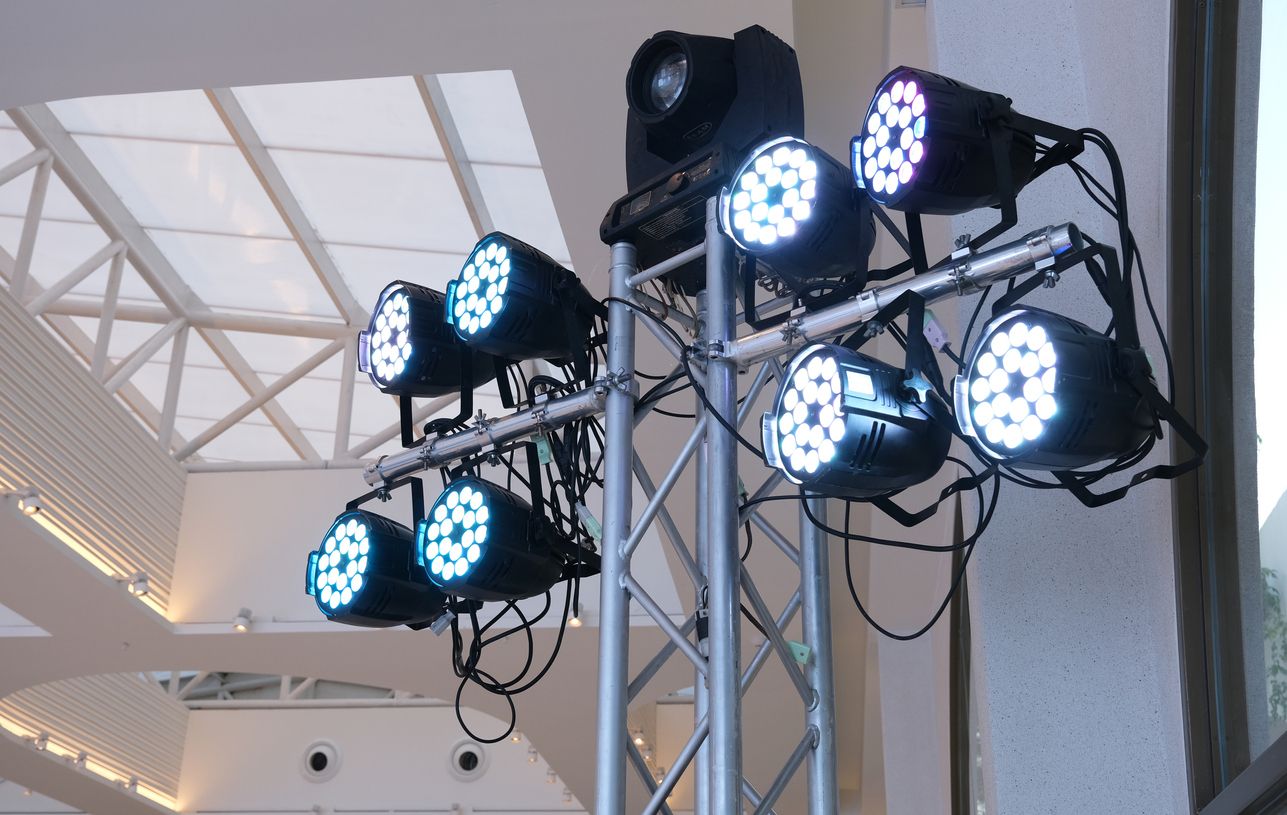
If your event includes speakers, performers, or presentations, stage lighting is essential to ensure they are visible. Spotlights focus on key individuals, drawing attention to them while keeping background distractions minimal. Fresnel and PAR lights provide a soft, even wash of light over the entire stage, ensuring balanced illumination.

For events where presenters or performers move around, follow spotlights track their movements to keep them well-lit at all times. This is particularly useful for concerts, theater performances, and award ceremonies, where movement plays a significant role in the presentation.

Decorative & Ambient Lighting

Decorative lighting plays a crucial role in setting the mood and enhancing the aesthetic appeal of your event. Uplights, which are placed along the walls or around the venue, add color and depth to the space. These are commonly used in weddings and upscale corporate events to create a polished, elegant look.

For more intimate and charming settings, string lights and chandeliers create a warm, cozy atmosphere. These are ideal for outdoor receptions, garden parties, and banquet halls.

Additionally, gobo lights can project logos, monograms, or custom patterns onto walls, floors, or ceilings, making them an excellent branding tool for corporate events or a personalized touch for weddings.

Dynamic & Special Effects Lighting

For high-energy events like dance parties, concerts, or nightclubs, dynamic lighting options bring excitement and movement to the space. Moving head lights rotate, change colors, and create patterns that enhance the overall performance. LED wash lights flood the area with customizable colors and effects, adding energy to the dance floor.

For an even more immersive experience, lasers and strobe lights add intensity, especially when paired with haze or fog machines, which make light beams visible in the air. These effects are perfect for nightlife events, EDM festivals, and high-energy brand activations.

Factors to Consider Before Renting Lighting Equipment

Event Type & Venue

The type of event you’re hosting greatly influences your lighting needs. A corporate seminar or conference will require professional, structured lighting that ensures speakers are visible.

In contrast, a wedding or social event needs warm, decorative lighting to enhance the atmosphere.

Concerts and parties, however, require dynamic lighting with movement, color changes, and effects.

The venue is another major factor. If your event is in a large ballroom or an outdoor space, you may need more powerful lighting to cover the entire area.

Before finalizing your rental, look at the ceiling height, available power outlets, and existing venue lighting to inform your choice.

Budget & Rental Costs

Renting event lighting can range from affordable to high-end, depending on the type of equipment and the duration of your rental. Basic uplights and spotlights can cost $50–$200 per fixture while moving lights and lasers can cost $300–$1,500.

If you rent lighting for a large-scale production, your budget may need to accommodate multiple fixtures, power sources, and technical support.

Determine your essential lighting needs and set a budget before contacting a rental company to keep costs manageable. This will help you prioritize critical lighting elements and avoid unnecessary add-ons.

How to Choose the Right Rental Company

When selecting an event lighting rental company, consider the following key factors:

  • Reputation & Experience – Look for companies with positive reviews and a strong track record in the industry. At GseAV, we are a national, full-service supplier of audiovisual equipment and lighting, and our track record speaks for itself.
  • Range of Equipment – Ensure the company offers various lighting options for different event types. You can also increase your event’s interest by enquiring about their video walls.
  • Technical Support & Setup Services – Some lighting equipment requires professional setup and programming. Check if the company offers assistance.
  • Rental Agreement Clarity – Read the fine print. Check for deposit requirements, cancellation policies, and liability for equipment damage.
  • Equipment Testing & Demos – If possible, ask for a demonstration of the lighting effects before renting.

Working with a trusted rental provider like GseAV ensures that your event lighting runs smoothly and meets your expectations.

Tips for a Smooth Lighting Rental Experience

Plan ahead – Popular lighting rentals get booked quickly, especially for weddings and corporate events. Secure your equipment early.

Do a test run – If possible, set up the lighting before the event to check positioning and functionality.

Coordinate with other vendors – If you’re working with a DJ, videographer, or AV team, ensure they know your lighting plan.

Have a backup plan – Always have extra cables, bulbs, or alternative lighting solutions in case of malfunctions.

Light Up Your Event With GseAV

Looking for a reliable lighting rental company? GseAV has you covered! Our team will help you identify the best-possible lighting for your event, set it up, and take it down for you. Contact us and let us help you bring your vision to reality!
Event Tech Trends to Watch

Event Tech Trends to Watch In 2019

Event Tech Trends to Watch In 2019

Are you in the audio visual rental business? GSE Audio Visual is here to make sure you stay on top of the latest technology trends that will ensure your success. Here are the event tech trends you need to watch out for to position your business for supercharged success in 2019, 2020, and beyond.

The Use of AR/VR at Events

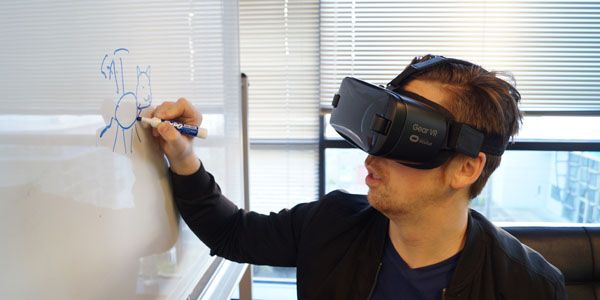
Event audio visual experts are beginning to tap into using virtual and augmented reality as part of their visual equipment. The AR/VR technology offers guests a more immersive and memorable experience. AR/VR is most commonly used in events that feature virtual site tours and gamification. It is also used for content delivery in a manner that’s more compelling.

You may consider switching from delivering a virtual rather than a live experience as a great way to expand your offerings and place yourself ahead of the competition. Not only will your business become innovative, but you may reduce costs too.

Using Facial Recognition to Boost Guests’ Experience

Facial recognition technology is gradually but surely making its way into the event industry. Increased security and faster check-ins and registration are benefits making facial recognition increasingly popular.

Some have also started applying it to boost their social media reach by using facial recognition to find and tag people in photos.

Combining Events Virtually

Planning large events, especially getting venues and setting them up, is becoming increasingly expensive. To keep costs down, genius event planners have started using live webcasting to merge multiple simultaneous events.
It saves costs, time, and improves convenience for attendees. It also expands the amount of content that can be shared with attendees within the course of a single event by not limiting presentations to in-person live performances.

Rise of the Drones

Audio visual services are using drones to capture events from angles that were formerly impossible or difficult. With drone technology becoming more versatile and capable of longer flight times, aerial recording and photography are becoming more commonplace, delivering unique views of events. It’s also becoming a potent tool for mapping event locations and live streaming.

Innovators Stepping into Industry Consolidation

Entrepreneurs and innovators in the event marketplace are beginning to consolidate services. By combining services such as event design, accommodation, data solution, and attendee engagement, they can deliver more exceptional experiences for event hosts and attendees.

There is also clear evidence of this as more audio and visual equipment rental companies are adopting holographic technology.

Multipurpose Event Apps

Bloated event apps that offer various features, but don’t deliver on the most critical function, replacing the paper schedule, are becoming increasingly unpopular and unreliable. Event planners are responding by switching from native apps to simple mobile sites for their event planning tools.

Some app developers are responding by working on highly focused apps that deliver one core function reliably.

Conclusion

If you are in the event planning business or audio visual equipment rentals for events, paying attention to these trends will prepare you for what’s to come. Investigating and developing strategies and becoming familiar with the upcoming technologies will enable you to truly make a difference and deliver innovative services and solutions within the industry. When you’re in the need for audio visual equipment rentals, GSE Audio Visual is the perfect solution for you. We are equipped to handle of your audio visual needs and have the experience and knowledge to make sure your event goes off without a hitch. Contact GSE Audio visual today to bring your event to life.

NEC X464UN-2

GSE Audio Visual NEC X46UN-2 Video Wall Monitor Rentals

GSE Audio Visual has NEC X464UN-2 Video Wall Monitors Available for Rental Nationwide

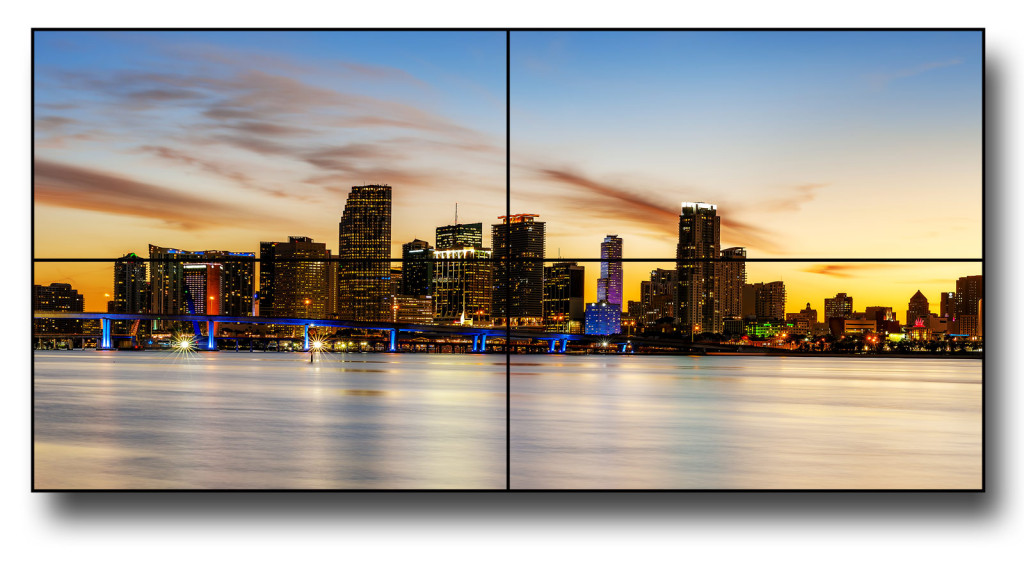
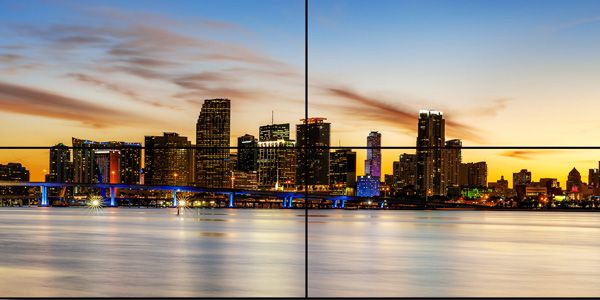
We stock a large inventory of the new NEC X464UN-2 46″ LED-Backlit Ultra-Narrow Bezel Professional-Grade Large-Screen Display, perfect for your large-screen digital signage needs. These units are available for rental nationwide.

gseav video wall

Call us at 1-888-573-6847 to discuss your video wall/digital signage needs.

The 46” NEC X464UN-2 sets the standard for video walls. With perfect picture quality and high product reliability, these displays are designed for the rigors of 24/7 operation.

Advanced technologies of this model include direct LED backlighting for improved uniformity, full high-definition resolution (1920 x 1080) (3840 x 2160 Quad) and a 5.5mm distance bezel width. 

  • Expanded daisy chain options enables 4K resolution
  • 700cd/m² max brightness combined with full HD resolution will capture the attention of the audience
  • Industrial-strength, premium-grade panel with additional thermal protection, internal temperature sensors with self-diagnostics and fan-based technology, allows for 24/7 operation
  • Available as a 2×2 video wall bundle (up to 3840 x 2160 resolution)
  • Available as a 3×3 video wall bundle
  • NaViSet Administrator 2: Software solution that greatly eases administration and management of larger display device installations

View More Product Information on Our Website

3mm LED Tile

3mm LED Tile | LED Panel | Video Wall Rentals

3mm LED Tile | LED Panel Video Wall Rentals


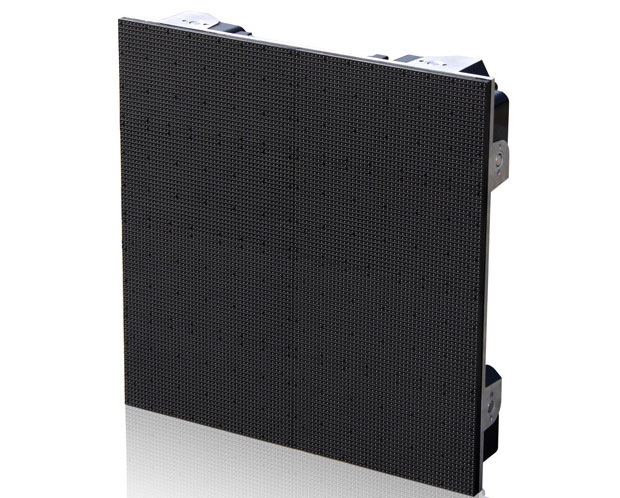
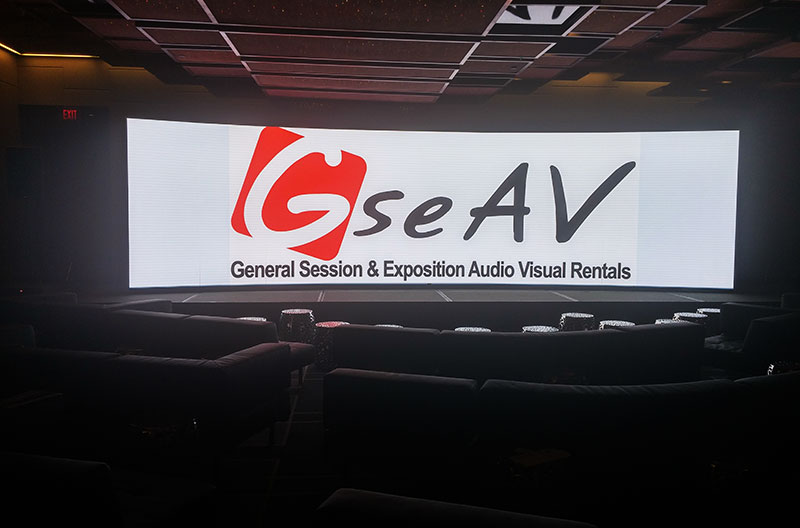
GSE Audio Visual Inc. now stocks 3mm LED tiles for LED video walls. LED video walls offer superior brightness and contrast and can be scaled from a small implementation to a large-scale venue. Our 3mm LED tiles are available nationwide, including Orlando, Atlanta, New Orleans, Chicago, New York, San Francisco, San Diego and everywhere in between. Call us to discuss your LED Video Wall questions: 888-573-6847 or visit our website at

https://gseav.com/services/video-walls/led/

3mm LED Tile
3mm LED Panel
LED Video Wall
LED Panel Video Wall
LED Video wall
LED Tile Video wall
Parameters Value Unit
Pixel pitch 3.9 mm
Brightness 1200 nit
Panel dimensions(W×H×D) 500×500×90 mm
Panel dimensions(W×H×D) 19.69×19.69×3.54 Inch
Panel materail Aluminum-alloy
Weight 9 kg/panel
Weight 19.86 lbs
Pixel configuration Black face SMD 3in1
Module dimensions (W×H) 250×250  mm
Module dimensions (W×H) 9.84×9.84  Inch
Pixel matrix per panel 128×128 pixels
Pixel density 65536 pixels/sq.m.
Refresh rate ≥1200 Hz
Gray scale per color 65536 level
Colors 281 Trillion
Viewing angle(H/V) 140/140  deg.
IP rating(Front/Rear) IP40/IP21
Power consumption(max/avg) 540/180  W/sq.m.
Input voltage(AC) 110~240 V
Operating temperature -10 ~40
Operating humidity 10%~90%
Source compatibility(with video processor) AV, S-Video, VGA, DVI, HDMI, SDI, DP


For more information on 3mm LED panel video walls, go to www.gseav.com or call us at 888-573-6847.

GET A QUOTE